Real browser fingerprints.
Accurate replacement.
Hundreds of thousands of verified browser fingerprints. Collected from real devices. Ready for AI-built apps, manual profiles and your own code.
01 / THE PROBLEMYour browser
Your browser
has a signature.
Even with a new IP, its details can look familiar.
EXAMPLE BROWSER SIGNALS Browser
signature
Screen1920 × 1080
GraphicsIntel UHD
Canvas8f2a · 71c9
signature
Use a verified real-device fingerprint.
02 / THE SOLUTIONReal device data.
Real device data.
A different signature.
Our database supplies the fingerprint.
Our native Chromium browser applies it.
REAL-DEVICE DATABASE
Verified fingerprintYour browser
BeforeYour fingerprint
Your fingerprintAfter replacementFingerprint from another real device
Fingerprint from another real device Verified, not generated Applied inside our browser
One key. Three ways to use it.Start simply: open profiles and browse manually.
03 / MANUAL MULTI-ACCOUNT BROWSINGSeveral accounts.
Several accounts.
Open at once.
Enter your key in FingerprintManager.
Use each browser yourself.
Your FingerprintSwitcher key
Account 01
Fingerprint 01Proxy 01Account 02
Fingerprint 02Proxy 02Different identities for websites.Separate fingerprints. Add a proxy to each profile.
04 / READY TO AUTOMATE?More profiles?
More profiles?
Let AI do the work.
BAS Agent builds the workflow. Our database supplies the fingerprints.
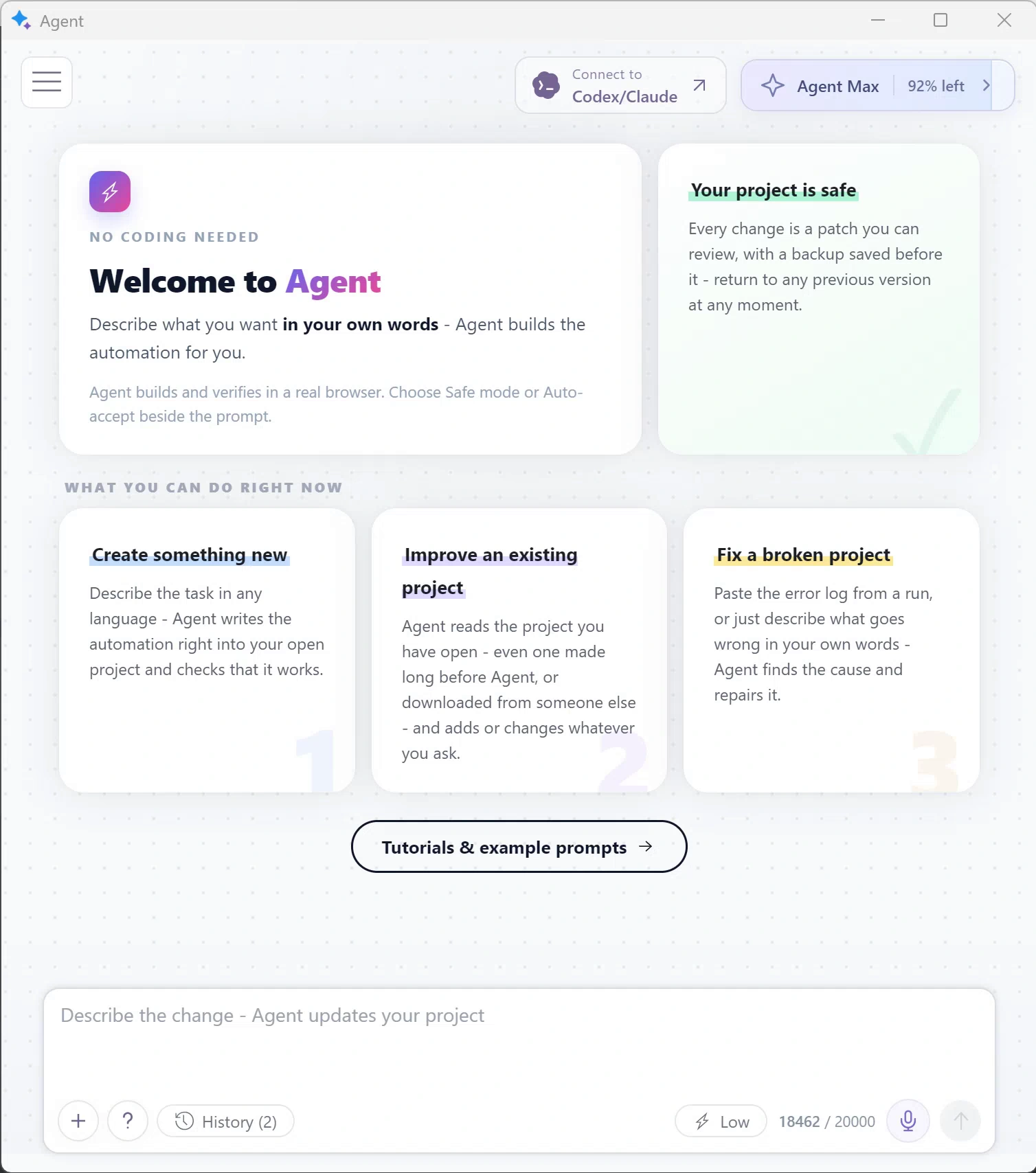 BAS AGENT · WINDOWS APP
 EXAMPLE PROMPT
Check prices in parallel.
Use my fingerprint key.
Save each price to an Excel table.
YOUR_KEY Tell the Agent once.
Store 01 Fingerprint applied
Store 02 Fingerprint applied
Store 03 Fingerprint applied
AI builds the script. We supply the fingerprints.Already have a script? Keep your code.
05 / ALREADY HAVE A SCRIPT?Keep your script.
Keep your script.
Add fingerprints.
Puppeteer · Playwright · Selenium
puppeteerpuppeteer-with-fingerprints+
Add a few linesFetch and apply a fingerprint.
Same actions. Now with fingerprints.
Hover to pause · Click for the next slide
Collected, then verifiedReal devices. Bot traffic filtered out.
Unlimited local profilesYour data stays on your PC.
A constantly updated databaseNew fingerprints every minute.
Websites see more
than your IP address.
Sites recognize your browser by its screen, graphics and settings.
The screen size and pixel density tell a website about your display.
BROWSERSIGNATURE
Recognizable
across visits.
across visits.
Fingerprint replacement changes browser signals. It does not change your IP address, cookies, or logged-in accounts.
Fingerprints
from real devices
~465,000verified browser fingerprintsLast known count · 22 October 2026
BOT TRAFFIC FILTERED
Checked and filtered by us.
Ready to applyReady for your browser.
Our Chromium fork.
Maintained for years.
We maintain our own Chromium fork and continuously improve fingerprint replacement.
New Chrome release
WITHIN A WEEK
Updated Bablosoft engine
Got your key?
Here’s what’s next.
First, buy a key. Then choose any of the ways below to use it.
Say what you need.
AI builds the application.
- 01Download and install BAS
Open BrowserAutomationStudio and its built-in Agent.
- 02Ask the Agent to build your script
Describe the application you want.
- 03Ask the Agent to add fingerprints
Give it your key. The Agent handles the setup. See the Agent example ↗
- 04Run or distribute your application
Use it yourself, or compile it for your customers.
Free to start · Windows application · Agent usage has its own allowance. Selling your app? Include customer access with Fingerprint Business.
RUNS ON YOUR PCBrowserAutomationStudio
EXAMPLE PROMPT
Build an app that checks product prices. Use FingerprintSwitcher with my key YOUR_KEY. Save a profile for each store.
Your profiles.
Your browser.
Your computer.
- 01Download FingerprintManager
A Windows application for working with profiles manually.
- 02Paste your FingerprintSwitcher key
Use the same active Premium key you purchased here.
- 03Create a profile and open it
Work in the browser. Save the profile and return to it later.
WINDOWS APPLICATIONProduct guide
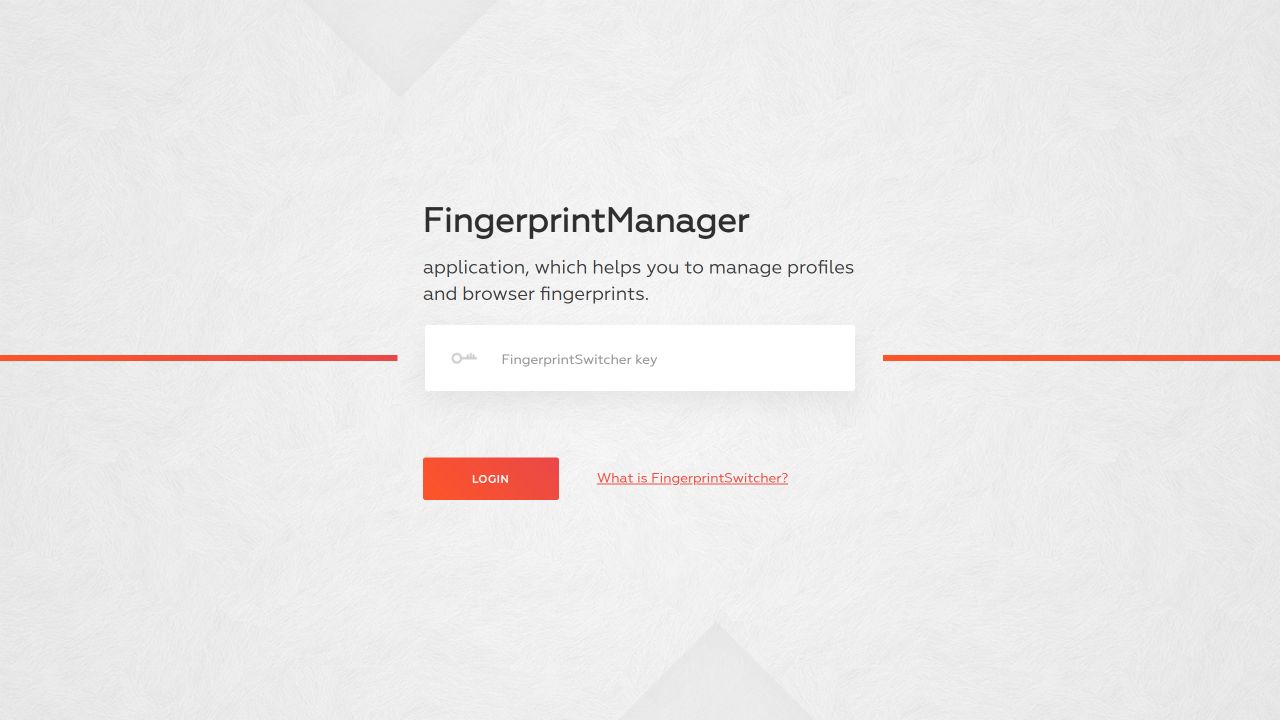
PASTE YOUR KEY HEREOne key unlocks your workspace.
Profile 01 Profile 02 Keep creating
Keep your code.
Add fingerprints.
- 01Change the import
Add the official “with-fingerprints” integration.
- 02Add your key and fingerprint setup
Get a fingerprint, apply it, then launch through the plugin.
- 03Keep your automation
The navigation and task code below stays the same.
Libraries run on Windows. The browser engine downloads automatically on first launch.
npm i playwright-with-fingerprints Highlighted lines are the changes you make.
example.cjs
Your existing automation continues below Official docs
Your key. Ready to use.
Check access, set allowed IPs or extend your existing key.
Find my purchased keyFINGERPRINT BUSINESS / FOR SOFTWARE SELLERSThe apps you sell.
The apps you sell.
Fingerprints included.
Include fingerprints in the BAS applications you sell, with discounted access for each customer.
- Customers don’t need a separate fingerprint key.
- Assign and revoke licenses from your web panel.
Separate subscription · Compiled BAS applications · BAS Premium required.
YOUR APPLICATIONYourApp.exe Fingerprints included
Customer 01 Licensed
Customer 02 Licensed
Customer 03 Licensed
One business subscription.Discounted access for your customers.
INCLUDED WITH PREMIUMPerfectCanvas.
PerfectCanvas.
Real results. Instantly.
A site checks how your device draws. We return the result already prepared on another real device.
Prepared on a
real device.
We do the rendering in advance.
Included in
your fingerprint.
PerfectCanvas Fetch the fingerprint.
The prepared result comes with it.
The site gets
the same result.
Instantly, from your PC.No connection to the source device.
One Premium key.
More control. More possibilities.
FINGERPRINTSWITCHER PREMIUM FEATURES
PerfectCanvas
Precomputed on real devices. Applied instantly.
FingerprintManager
Manual browsing with unlimited local profiles.
Android fingerprints
Use verified fingerprints from real Android devices.
Browser matching & filters
Match the browser version. Filter by platform, browser and collection age.
Automation integrations
Premium fingerprints in Playwright, Puppeteer and Selenium.
Higher request limits
Fingerprint requests per 3 minutes
FREE1request / 3 minFor a small test
PREMIUM100requests / 3 minWith your key
PREMIUM + IP1,000requests / 3 minWith IP authorization
Request limits only. Local profiles are unlimited.
3 months
BEST VALUE$60total
$20/month · Save $30 vs. monthly
Buy 3 months · $601 month
All Premium features. A shorter plan.
Try it without a key.
Download BAS, open the Agent and ask it to use free fingerprints. No registration needed to start.
PASTE THIS INTO THE BAS AGENT
Use free fingerprints in this project.
- Chrome on Windows fingerprints only.
- 1 fingerprint request per 3 minutes.
- No browser-version filter. You cannot request a version matched to your engine.
- Android, FingerprintManager and PerfectCanvas require Premium.
Start with a small test. Choose Premium for production and parallel workloads.
Clear before
you connect.
Are these generated fingerprints?+
No. Fingerprints are collected from real devices, then verified. We filter bot traffic before adding fingerprints to the database.
What exactly does my key unlock?+
Your Premium key unlocks advanced filters, Android fingerprints, PerfectCanvas, FingerprintManager and Premium fingerprint access through the official automation integrations.
Do I need to register to try it?+
Start in BAS without registration or a FingerprintSwitcher key. Tell the Agent: “Use free fingerprints in this project.” Free access is limited to Chrome on Windows, one request per three minutes and no browser-version filtering.
Why does matching the browser version matter?+
The fingerprint should describe a browser version consistent with the engine you run. Premium lets you select that version; free access cannot filter by browser version.
Where is my key after I pay?+
Open your Bablosoft account to find the purchased key. Paste it into FingerprintManager, give it to the BAS Agent, or set it in your library with plugin.setServiceKey.
Is a fingerprint request the same as a profile?+
No. A request retrieves a fingerprint from the database. A profile is a local folder containing browser data. Keep as many profiles as you need and reuse saved fingerprints without fetching new ones.
How do I renew or merge my keys?+
Buy a new key and either use it directly or merge it into your existing key in Key Manager. Review the new expiration date, then confirm. Your existing key is extended and the new key is terminated.
What changes when I enable IP authorization?+
Your Premium limit increases from 100 to 1,000 requests per 3 minutes, and your key becomes restricted to the public IP addresses you allow in Key Manager. Use your computer or server’s public IP, not your browser proxy’s IP.
Where do my profiles live?+
On your PC. The service supplies fingerprint data; your saved profiles, cookies and browser sessions remain in your local workflow.
Can I distribute fingerprints with my own app?+
Fingerprint Business is the separate service for embedding fingerprint access in applications you distribute.
Have a question?
Tell us what you want to build or where you need help.